Simple CLI Chat with Ollama
In this project, I will show you how to download and install Ollama models, and use the API to integrate them into your app.
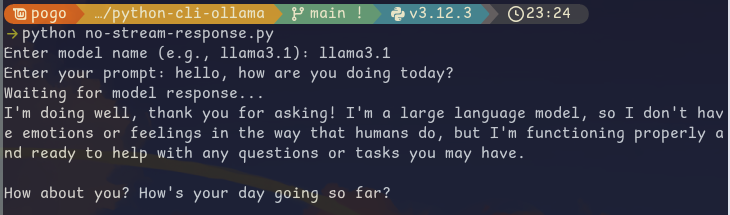
The main purpose of this project is to show examples of how streaming and non-streaming API requests work within the Ollama environment.
If you just want to get some examples here is the Github Repo.
Step 1 - Pre-Requisites
Ollama Installation
macOS / Windows — use the official download at ollama.com
Linux:
curl -fsSL https://ollama.com/install.sh | shPython Environment
You’ll need Python 3.12+. Set up a virtual environment:
mkdir my-project && cd my-projectpython3 -m venv .venvsource .venv/bin/activatewhich pythonStep 2 - Ollama Setup
Important Commands
Start the Ollama API:
ollama servePull a model:
ollama pull llama3.1ollama pull llama3.1:70bList installed models:
ollama listRemove a model:
ollama rm <model-name>Custom Modelfiles
Create a Modelfile:
FROM llama3.1
PARAMETER temperature 1
SYSTEM """You are Mario from Super Mario Bros. Answer as Mario, the assistant, only."""
Create and run the model:
ollama create <name-of-new-model> -f ./Modelfileollama run <name-of-new-model>My Personal Favourite Models
| Model | Parameters | Size | Download |
|---|---|---|---|
| Llama 3.1:7b | 7B | 3.8GB | ollama run llama3.1:7b |
| Mistral-Nemo | 6B | 3.2GB | ollama run mistral-nemo |
| CodeLlama | 7B | 3.8GB | ollama run codellama |
| Phi 3 | 14B | 7.9GB | ollama run phi3 |
| Gemma 2 | 9B | 5.5GB | ollama run gemma2 |
| CodeGemma | 13B | 8.2GB | ollama run codegemma |
Step 3 - Creating a Custom CLI
Clone the repo or code along:
git clone https://github.com/LargeLanguageMan/python-ollama-cliOllama API Requests
Streaming (token by token):
curl http://localhost:11434/api/generate -d '{ "model": "llama3.1", "prompt":"Why is the sky blue?"}'Non-streaming (full response at once):
curl http://localhost:11434/api/generate -d '{ "model": "llama3.1", "prompt": "Why is the sky blue?", "stream": false}'Install the Python requests library:
pip install requestsOption 1: Streaming
response = requests.post(url, headers=headers, data=json.dumps(data), stream=True)
all_chunks = []for chunk in response.iter_lines():    if chunk:        decoded_data = json.loads(chunk.decode('utf-8'))        all_chunks.append(decoded_data)return all_chunks
Print the output:
for response in result: obj = obj + response["response"]print(obj)Option 2: Non-Streaming
response = requests.post(url, headers=headers, data=json.dumps(data))return response.json()print(result['response'])